A/V Requirements

Please share this page with your AV team or venue coordinator at least 30 days before the event.

Equipment & Setup Requirements

Each card below outlines a specific requirement.
Highlighted specs are non-negotiable.

Computer

JMan presents from his own Windows laptop, which stays with him onstage or at a nearby table. All presentations are built with high-resolution video, animations, and custom software that perform best on his own machine. This eliminates compatibility issues and guarantees a seamless delivery.

Please provide a stable surface near the stage area for the laptop, with easy access to power and AV connections.

Microphone

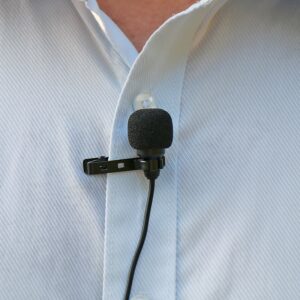
A wireless lavalier (lapel/tie-clip) microphone is required. JMan moves constantly during presentations, so a handheld mic will not work.

If your venue uses a sound system, the lavalier mic should be patched into the house system so both the speaker’s voice and presentation audio come through the same PA.

  • Required: Wireless Lavalier Mic (no handheld)

Audio

JMan’s presentations include music, video, and sound effects that are essential to the experience. The laptop audio must be connected to the room’s sound system.

Acceptable connections: HDMI (carries both video and audio) or VGA with a separate 3.5mm audio cable patched into the house sound.

  • HDMI preferred  |  VGA + 3.5mm audio as backup

Power

Please provide a power strip and an extension cord at the presenter’s station. The power strip ensures backup outlets for the laptop, clicker charger, and any additional equipment. The extension cord provides reach from the nearest wall outlet to the stage area.

Projector & Screen

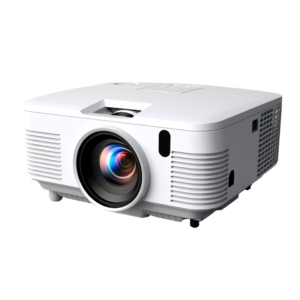
JMan does not travel with a projector. The venue must provide one.

Requirements: minimum 3,000 lumens so slides and video are clearly visible, even in a well-lit room. A large screen or wall projection surface appropriate for the audience size is also required.

  • Minimum: 3,000 lumens

AV Cart

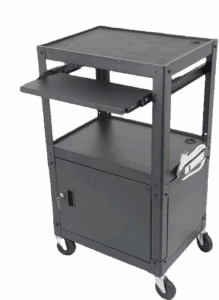
If a portable projector is being used, please provide a stable, moveable cart or table to position it correctly for the screen.

Room Setup

Theater-style seating works best for large rooms. If the expected attendance is known in advance, please remove any extra chairs. Tight, filled seating creates better energy and a stronger audience experience than a half-empty room with chairs spread out.

For classroom or rounds setups, angle all seats to face the stage. No one should have their back to the presenter.

  • Pro tip: Fewer chairs, fully occupied > many chairs, half empty

Stage

JMan is a high-energy, full-stage presenter. He does not stand behind a lectern.

If a lectern or podium is used for announcements or introductions, please position it at least 4 feet back on stage left or stage right. Not center. The entire front of the stage needs to be open and clear for movement.

Please also ensure the stage area is well-lit. Good lighting matters for audience engagement and for any event photography or video.

  • Full open stage required  |  No center lectern

Quick Reference Checklist

Use this as a standalone reference. Check items off as they are confirmed.

Wireless lavalier microphone
Projector (min. 3,000 lumens)
Power strip + extension cord at presenter station

Open stage area (no center lectern)
Theater-style seating (preferred)
HDMI connection (or VGA + 3.5mm audio)

Large screen appropriate for audience size
Stable surface for laptop near stage
Well-lit stage

Questions about technical setup?

We’re happy to get on a quick call with your AV team to make sure everything is dialed in.

Katie

Reach out anytime with questions about equipment, connections, or stage setup.